← Back to Templates

ASMR Keyboard Website: Create AI Keyboard Videos

Create tactile AI keyboard ASMR videos on this ASMR keyboard website. Choose a food or material for the keys, then generate synchronized typing sounds and short vertical loops for TikTok, Reels, or Shorts.

Template Demo

See what this template creates

Please follow our content guidelines when creating your ASMR video.

🎯 Your Turn

Customize your ASMR video with these simple choices

Content Guidelines: Please use family-friendly ASMR inputs. Template values and generated prompts are screened before video generation. Prohibited or flagged content will be blocked.

💡 Try: sushi, macarons, donuts

⚙️ Generation Settings

Watermark
Subscription required

Adds watermark to your export.

On
30 credits
~2 min

📱 Your Video

Your custom video will appear here

🎬

Ready to Create?

Fill in the details above and hit the magic button!

What can you create on an ASMR keyboard website?

An ASMR keyboard website gives creators a simple way to turn the familiar rhythm of typing into a visual and audio-focused video. This template replaces ordinary keycaps with tactile materials such as sushi, chocolate, jelly, or candy while preserving close-up key presses and synchronized sound. It is designed for people who want a finished AI keyboard ASMR clip, not a complex prompt-writing workflow.

With template-driven generation, creators can produce AI-generated ASMR without microphones, cameras, or editing software. Select a template, customize materials, and generate an AI ASMR video in minutes.

AI ASMR is popular because it scales - test ideas fast, publish consistently, and grow audiences across TikTok and Shorts.

Create AI Keyboard ASMR Videos with Google Veo 3.1

Google Veo 3.1 renders the keyboard, hand movement, material response, and native audio together, so each press feels connected to the image. Start with the template, customize the key material, and create a short keyboard ASMR video without separately editing sound effects or camera instructions.

Native Audio Generation

Native audio means every AI ASMR video stays perfectly synced - every slice, tap, and crumble matches the sound.

Template-Based Workflow

Templates remove prompt work. Start with a proven format and produce AI ASMR content in minutes.

Technical Specifications

Generation Modes

Fast Mode

Generation time: ~30 seconds

Ideal for: Quick iterations, testing ideas

High Quality Mode

Generation time: ~2-3 minutes

Ideal for: Final exports, publishing

Video Output

16:9 Aspect Ratio

Resolution: 720p

Platform: YouTube, Desktop

9:16 Aspect Ratio

Resolution: 720p

Platform: TikTok, Instagram Reels, YouTube Shorts

Learn more: Read our complete guide on how to create AI ASMR videos for detailed technical explanations and best practices.

How to Use This ASMR Keyboard Website

Learn how to choose a key material, create satisfying typing sounds, and turn one tactile idea into a short AI keyboard ASMR video.

Create an AI keyboard ASMR video

Start with a single tactile idea rather than a long prompt. On this ASMR keyboard website, enter one food or material for the keys, choose the generation settings, and create a short vertical clip with synchronized typing sounds. The template keeps the close-up composition and pacing consistent, which makes it easier to test ideas for TikTok, Reels, and Shorts.

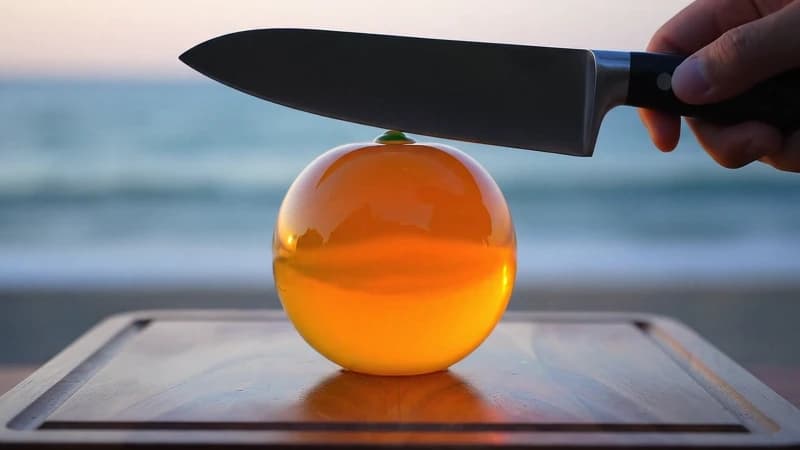
Strong results make the material easy to understand at a glance. A sushi keyboard can feel soft and springy, chocolate keys can create muted taps, and glass candy can produce brighter visual highlights with crisper contact sounds. One clear material gives the video a more readable visual hook and a more consistent rhythm.

Choose materials with satisfying key sounds

Choose materials with an obvious physical response to touch. Sushi, marshmallows, gummy candy, jelly, mochi, macarons, chocolate squares, berry gel, crystal candy, and soft cake keys give viewers an immediate sense of how each press should compress, rebound, or sound.

Keep one material per generation. Mixing unrelated textures can make the keyboard harder to read and the audio less coherent. Create separate versions when comparing ideas, then keep the clip with the clearest key movement and most satisfying repeated sound.

AI keyboard ASMR vs. real keyboard typing ASMR

Real keyboard typing ASMR depends on physical switches, desk acoustics, microphones, and recording technique. AI keyboard ASMR keeps the recognizable rhythm of typing while allowing the keys to become edible, glossy, soft, or otherwise impossible materials.

Choose this template when you want typing sounds and a visual concept to work together. It is suited to creators making short, stylized keyboard videos rather than recording an ordinary desk setup.

Why creators choose ai asmr keyboard templates

Ship ai asmr keyboard clips faster by starting from a proven sleep-friendly format.

Every Viral Template

We analyze viral ASMR trends and build templates for what works now.

No Prompt Engineering

Pick a template, add safe custom details, and launch quickly after pre-generation screening.

Native Audio + Visuals

Synchronized sound makes each video feel real.

Built for Social Media Success

Short, loopable AI ASMR video outputs for TikTok, Shorts, and Reels.

Create ai asmr keyboard videos in 4 steps

Template-driven workflow for ai asmr keyboard creation.

📋
01

Choose a Template

Pick a trending format from our ASMR templates.

⚙️
02

Customize Variables

Type materials and objects for your video.

⚙️
03

Generation Settings

Choose quality and aspect ratio for your video.

04

Generate & Download

Generate the AI ASMR video with native audio and download.

💡Pro Tips for AI ASMR Template Customization

Type your own materials for unique results.

Try different combinations for fresh ideas.

Use High Quality for final exports and Fast Quality for rapid testing.

Generate multiple variations to find the best hook.

Choose 9:16 for Shorts and 16:9 for desktop platforms.

ai asmr keyboard FAQ

Answers about ai keyboard asmr, keyboard typing asmr, and producing ai asmr keyboard videos.

1AI Keyboard ASMR Generator Questions

2AI ASMR Getting Started

3AI ASMR Templates & Video Generation

4Credits & Subscription Plans

5Technical & Support

Ready to launch your next AI ASMR video?

Start free and build an AI ASMR video content pipeline in minutes.

Need voice design or cloning? Qwen3 TTS - voice design, cloning & generation

or

Get latest AI ASMR updates and creation tips

We respect your privacy. Unsubscribe at any time.

    ASMR Keyboard Website: Create AI Typing Videos